常用命令
 1
 2
 3
 4
 5
 6
 7
 8
 9
10
11
12
13
14
15
16
17
18
19
20
21
|
alias ga='git add'
alias gb='git branch'
alias gc='git commit'
alias gd='git diff'
alias gf='git fetch'
alias gr='git remote'
alias gl='git pull'
alias gm='git merge'
alias gaa='git add --all'
alias gma='git merge --abort'
alias gst='git status'
alias gpf='git push --force-with-lease --force-if-includes'
alias grb='git rebase'
alias grv='git remote --verbose'
alias gbd='git branch --delete'
alias gbD='git branch --delete --force'
alias grba='git rebase --abort'
alias grbc='git rebase --continue'
alias glog='git log --oneline --decorate --graph'
alias grhh='git reset --hard'
alias gloga='git log --oneline --decorate --graph --all'
|
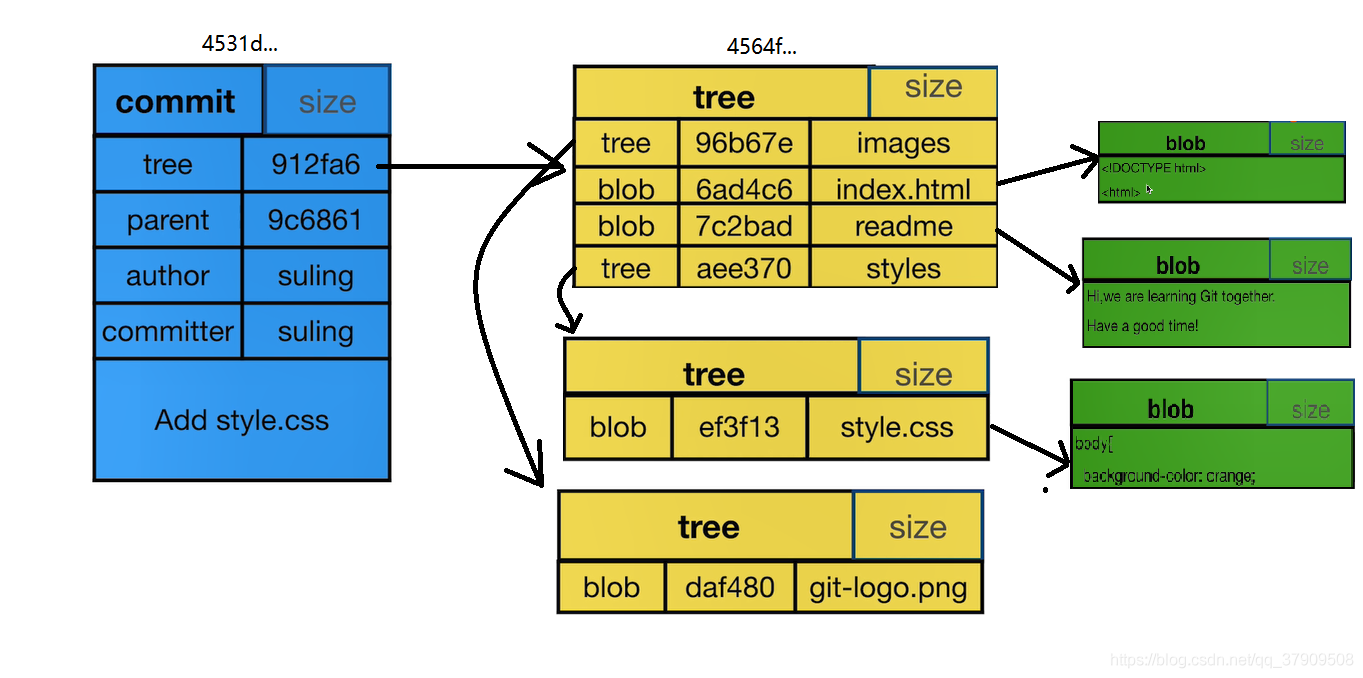
Commit & tree & blob

分支
Git 里边分支很便宜? git 的分支只是指向某一个 commit 的标志, 只是一个文件.
常用配置
配置文件:
1
2
3
4
5
6
7
|
# ~/.gitconfig

[pull]
    rebase = true
    autostash = true
[merge]
    ff = no
|
提交日志
1
|
git log --decorate --graph --date=format-local:'%Y-%m-%d %H:%M:%S' --pretty=format:"%h %ad %an %s" --all
|
配置别名:
1
|
git config --global alias.lg "log --graph --decorate --all --topo-order --date=format-local:'%Y-%m-%d %H:%M:%S' --pretty=format:'%C(cyan)%h%Creset %C(black bold)%ad%Creset %C(auto)%an %C(auto)%d%s'"
|
文件提交历史
1
|
git log --decorate -p xxx
|
优雅解决冲突
在 Git 中,当使用git merge或git rebase命令合并分支时,如果发生冲突,Git 会将冲突文件标记为包含冲突的部分,然后提供ours 和 theirs两个版本的代码,以供我们选择。
ours 指的是当前所在分支的代码版本,即在合并或变基操作中作为基础的分支。theirs 指的是要合并或变基到当前分支的另一个分支的代码版本。